
Prepare
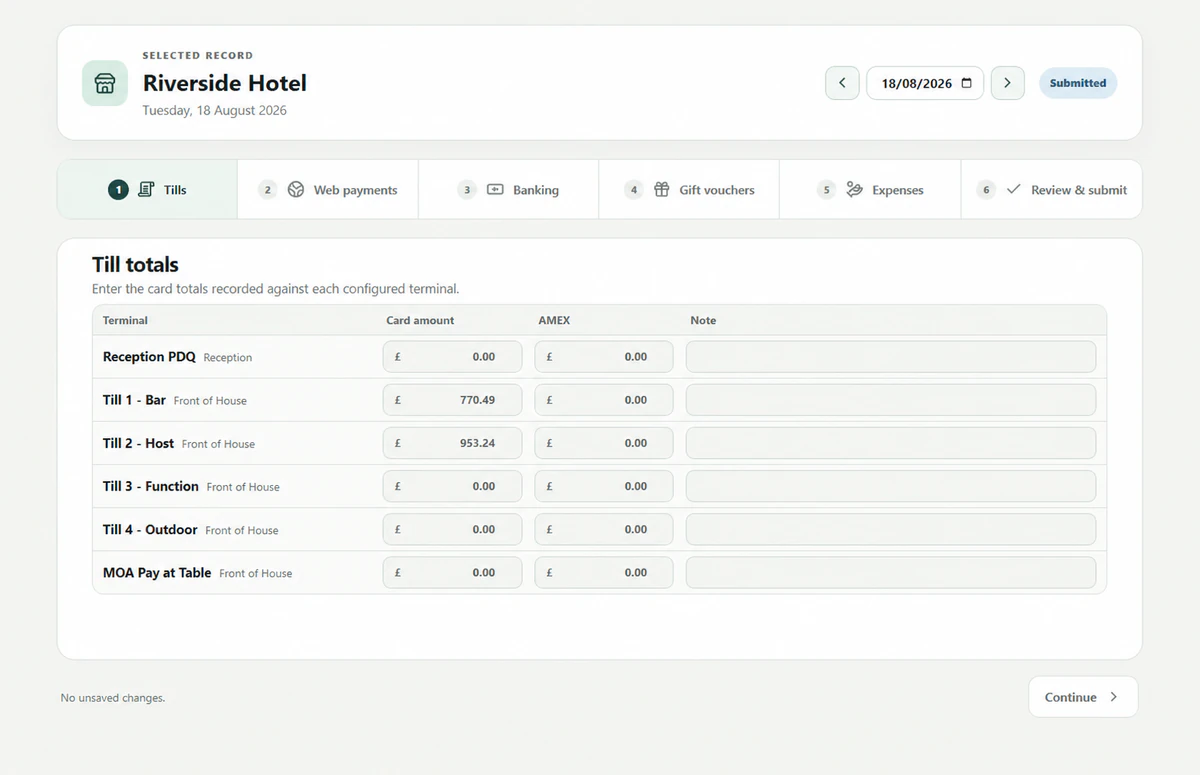
Sites enter the daily figures, record expenses with supporting receipts and explain unusual or missing amounts.
The End of Day platform
Give every property the same end-of-day checklist. Site teams complete the record and explain differences. Finance reviews the evidence, agrees any corrections and signs off the business date.
The daily process
Even a well-managed PMS cannot prevent every input error, omission or timing difference. Sites prepare the record, Daturu compares the payments and Finance resolves exceptions before sign-off.
Sites enter the daily figures, record expenses with supporting receipts and explain unusual or missing amounts.
The site submits the completed record to Finance.
Daturu compares payment totals with the corresponding PMS activity and flags differences.
Finance reviews each difference and records any correction or follow-up required.
Finance signs off the business date. Daturu keeps the complete audit trail.
Group-wide oversight
Use the review queue and record history to follow every expected business date. Missing submissions, records awaiting confirmation and re-open requests remain visible to the person responsible for the next action.
Finance can see submitted business dates waiting for confirmation and open the full record from the review queue.
Filter history by property, status and date, then drill into the figures, evidence, notes and decisions for that day.
Operational users can request a re-open with a reason. Finance decides whether to return the record for correction.
The daily site record
Each property completes the same checklist for its business date. Staff can attach a receipt or note to the relevant entry, so Finance has the supporting detail when it reviews the day.
Finance can review the supporting detail in Daturu instead of searching through emails and spreadsheets.
Access and accountability
Role and property access separates site preparation from Finance review and keeps controlled actions attributable.
Site teams prepare the detail. Finance reviews and confirms it. Administrators maintain the controlled setup.
Users see only the properties assigned to them, while authorised central roles retain the group view they need.
Controlled sign-in, optional authenticator-app MFA and recorded actions protect access and preserve accountability.
Accounting journals
The scheduled PMS journal keeps daily sales data current for P&L reporting. Finance reviews and reconciles the End of Day journal, checking balance-sheet postings for accuracy and completeness before an authorised user posts the entries that are ready.
See Daturu on your process
Use your current daily close to see what each team would do in Daturu.